
About the Stop-Loss and Take Profit MT4 Indicator
The Stop-Loss and Take Profit MT4 indicator displays suggested stop-loss and take-profit levels directly on the MetaTrader 4 chart for any open buy or sell position.
It helps traders manage risk more efficiently by keeping exit levels visible at all times.
This indicator works on any currency pair and across all timeframes, making it suitable for scalping, intraday trading, and swing setups.
Once a trade is opened, the indicator automatically plots the stop-loss and take-profit levels, allowing traders to quickly assess risk and reward.
The Stop-Loss and Take Profit MT4 indicator also includes alert functionality.
Traders can receive pop-up alerts on the platform or push notifications on their phone.
All alerts can be enabled or disabled from the inputs menu, allowing full control based on individual trading preferences.
Free Download
Download the “Display_SLTP_Totals.mq4” MT4 indicator
Key Features
- Displays stop-loss levels for open buy and sell trades.
- Shows take-profit targets directly on the price chart.
- Works on all currency pairs and timeframes.
- Supports on-screen pop-up alerts.
- Allows mobile alerts for active trade monitoring.
- Fully adjustable settings from the inputs menu.
Indicator Chart
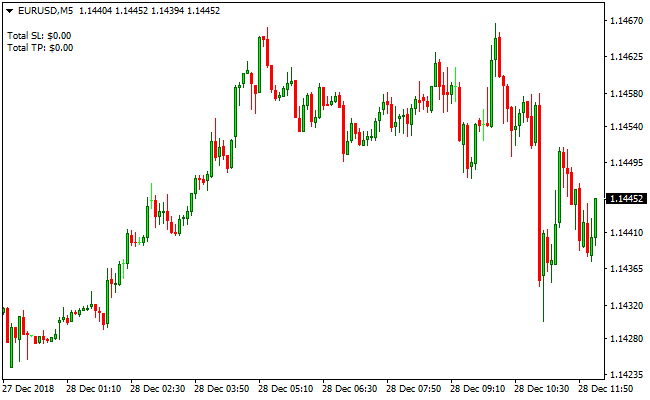
The Stop-Loss and Take Profit MT4 indicator chart highlights horizontal stop-loss and take-profit lines for active trades.
These levels are displayed in relation to current price action.
The chart view makes it easy to monitor how close price is to either exit level, helping traders manage positions with greater confidence.
Guide to Trade with Stop-Loss and Take Profit MT4 Indicator
Buy Rules
- Open a buy trade using your preferred entry strategy.
- Check that the take-profit level aligns with nearby resistance.
- Ensure the stop-loss allows room for normal price fluctuations.
- Confirm the risk-to-reward ratio before finalizing the trade.
Sell Rules
- Enter a sell trade based on bearish confirmation.
- Verify that the take-profit level sits near a support zone.
- Make sure the stop-loss is placed outside short-term price noise.
- Review volatility conditions before committing to the trade.
Stop Loss
- Set the stop beyond a recent consolidation boundary.
- Use the average candle size to estimate a suitable stop distance.
- Account for session volatility when defining the stop.
- Tighten the stop once price moves decisively in your favor.
Take Profit
- Target areas where price previously slowed or reversed.
- Align profit targets with the active trading timeframe.
- Secure partial profits at intermediate levels.
- Aim for a consistent risk-to-reward ratio on each trade.
MT4 Stop-Loss & Take Profit + LabTrend Forex Scalper Scalping Strategy
This scalping strategy combines the Stop-Loss and Take Profit MT4 Forex Indicator with the LabTrend Forex Scalper MT4 Indicator.
The LabTrend Forex Scalper gives precise entry signals using blue dots for buy and red dots for sell.
The Stop-Loss and Take Profit indicator automatically displays suggested stop-loss and take profit levels for any trade directly on the chart.
This combination allows traders to scalp short-term price movements while having clear risk and reward levels in place.
The strategy is ideal for M1 and M5 charts, suitable for active scalpers looking for fast intraday trades.
Buy Entry Rules
- LabTrend Forex Scalper shows a blue dot, indicating a buy signal.
- Enter long at the open of the next candle after the blue dot appears.
- Use the Stop-Loss and Take Profit indicator levels for initial stop-loss and take profit placement.
- Adjust stop-loss slightly below the recent swing low if necessary for a better market fit.
- Exit the trade if a red dot appears or the price hits the stop-loss or take profit level.
Sell Entry Rules
- LabTrend Forex Scalper shows a red dot, indicating a sell signal.
- Enter short at the open of the next candle after the red dot appears.
- Use the Stop-Loss and Take Profit indicator levels for initial stop-loss and take profit placement.
- Adjust stop-loss slightly above the recent swing high if necessary for a better market fit.
- Exit the trade if a blue dot appears or price hits the stop-loss or take profit level.
Advantages
- Precise entry signals from LabTrend reduce guesswork for scalping trades.
- Stop-Loss and Take Profit indicator automatically provides suggested levels for better risk management.
- Suitable for very short timeframes like M1 and M5, offering multiple trading opportunities per session.
- Helps traders maintain disciplined risk/reward ratios with predefined levels.
- Works across multiple currency pairs with high liquidity.
Drawbacks
- The strategy may produce multiple false signals during periods of low volatility or range-bound markets.
- Rapid price movements on M1 and M5 charts can trigger stop losses before the trend fully develops.
- Traders may become impatient and enter trades prematurely if signals appear too frequently.
- The strategy relies heavily on indicators, which may not account for sudden market news or economic events.
- Scalping requires constant focus and quick decision-making, which can be mentally exhausting for some traders.
Case Study 1
On EURUSD M1 during the London session, LabTrend showed a blue dot, indicating a buy signal.
The trader entered long at the next candle, using the Stop-Loss and Take Profit indicator levels: stop-loss 5 pips below the recent swing low, take profit 10 pips above.
Price moved steadily upwards and hit the take profit within 12 minutes.
Both indicators remained aligned, resulting in a successful scalp.
Case Study 2
On GBPUSD M5 during the New York session, LabTrend displayed a red dot, signaling a sell entry.
The trader entered short at the next candle, using the suggested stop-loss 8 pips above the recent swing high and take profit 16 pips below.
Price fell consistently over the next 20 minutes and reached the take profit target.
The setup confirmed the trend and validated the strategy.
Strategy Tips
- Focus on major and highly liquid currency pairs to reduce spreads and improve execution.
- Ensure both LabTrend signal and Stop-Loss/Take Profit levels align before entering a trade for higher probability setups.
- Adjust stop-loss and take profit levels dynamically depending on market volatility to protect gains.
- Avoid trading during low volatility periods or when the market is flat to reduce false signals.
- Keep position sizes small for scalping trades to manage risk effectively.
- Combine with recent support and resistance levels for additional confirmation of entries and exits.
Download Now
Download the “Display_SLTP_Totals.mq4” Metatrader 4 indicator
FAQ
Does this indicator open trades automatically?
No. The indicator does not open or manage trades automatically.
It only displays stop-loss and take-profit levels for positions that are already open.
Can I use this indicator with any strategy?
Yes. The indicator is designed for trade management and can be used with scalping, day trading, or swing trading strategies.
How do mobile alerts work?
When enabled, the indicator sends notifications to your phone through the MetaTrader platform, allowing you to monitor trades away from your screen.
Are the suggested levels adjustable?
Yes. Traders can manually adjust stop-loss and take-profit levels to better match market conditions or personal risk preferences.
Summary
The Stop-Loss and Take Profit MT4 indicator focuses on one of the most important aspects of trading, effective trade management.
Displaying exit levels clearly on the chart helps traders stay disciplined and consistent.
With support for alerts, flexible settings, and compatibility across all markets and timeframes, this indicator is a practical addition to any MT4 trading setup.





