
About the Bar Timer Indicator
The Bar Timer Indicator for MT5 is a practical timing tool that displays the remaining time of the current candle in percentage format.
Instead of showing seconds or minutes, it tells you exactly how much of the active bar has completed before the next one begins.
This percentage-based approach gives traders a quick visual understanding of candle progress.
If the display shows 90%, you immediately know the bar is close to closing. If it shows 10%, the candle has just started forming.
Whether you trade short-term momentum or higher timeframe setups, the percentage countdown automatically adjusts to your selected chart period.
You can customize its appearance by changing the corner position, font type, font size, text color, and the X and Y distance from the reference angle.
This flexibility allows seamless integration into any chart layout.
Free Download
Key Features
- Displays candle progress in percentage format.
- Automatically adjusts to any timeframe.
- Works on all currency pairs.
- Customizable corner location.
- Adjustable font type, size, and text color.
- Flexible X and Y position settings.
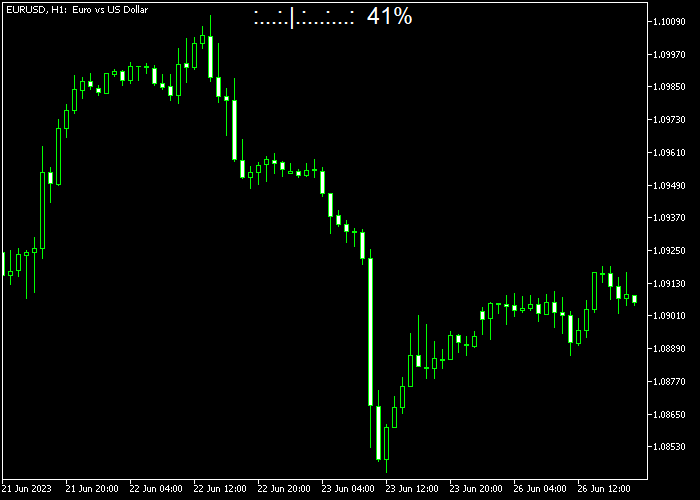
Indicator Chart
The Bar Timer Indicator appears directly on the main price area and shows a live percentage value representing the current candle’s progress.
As price updates, the percentage increases steadily until it reaches completion. When the value resets to zero, a new bar begins.
This makes it easier to time entries that require candle close confirmation.
Guide to Trade with Bar Timer Indicator
Buy Rules
- Wait for your bullish setup to form according to your main strategy.
- Monitor the percentage value as the candle approaches completion.
- Enter a buy trade only after the candle reaches full completion.
- Execute the trade at the open of the next bar.
Sell Rules
- Wait for your bearish setup to develop.
- Track the percentage display as the candle nears 100%.
- Enter a sell trade after the candle fully completes.
- Open the position at the start of the next candle.
Stop Loss
- Place the stop loss based on your primary trading strategy.
- For buy trades, consider recent swing lows.
- For sell trades, consider recent swing highs.
- Adjust position size to match your predefined risk per trade.
Take Profit
- Set profit targets according to your trading plan.
- Use logical support or resistance zones.
- Apply fixed risk to reward ratios if preferred.
Download Now
FAQ
What makes the Bar Timer different from standard countdown timers?
This indicator displays progress in percentage instead of time units. It gives a faster visual understanding of how close a candle is to closing.
Can I move the display to another corner?
Yes, you can choose the corner location and adjust the X and Y distance from the reference angle.
Is it suitable for all trading styles?
Yes, it supports scalping, intraday, and swing trading since it automatically adapts to the selected timeframe.
Summary
The Bar Timer Indicator improves execution timing by showing candle completion in percentage form.
It helps traders avoid early entries and wait for confirmed bar closes.
With flexible customization options and compatibility across all timeframes, it integrates easily into any trading approach.
For traders who depend on precise timing, this tool adds consistency to trade execution.





