
About the Countdown Bar Timer Indicator
The Countdown Bar Timer indicator for MT5 is a simple yet useful tool that shows how much time remains before the next bar appears on the chart.
This can help traders time their entries and exits more precisely, especially when working with shorter timeframes.
Instead of guessing when a bar will close, the indicator displays a live countdown timer that updates as the current bar progresses.
It does not generate buy or sell signals by itself; instead, it supports decision-making by clarifying when bars are about to close.
Key settings include options to change the label color and choose where the timer appears on the chart.
This customization helps traders match the indicator to their chart style and preferences.
Free Download
BarTimeCountDown.mq5 Indicator (MT5)
Key Features
- Displays a real‑time countdown showing time until the next bar close.
- Helps traders time entries and exits more precisely.
- Simple user interface with no complex signals.
- Customizable label color for visibility.
- Adjustable label position on the chart.
Indicator Chart
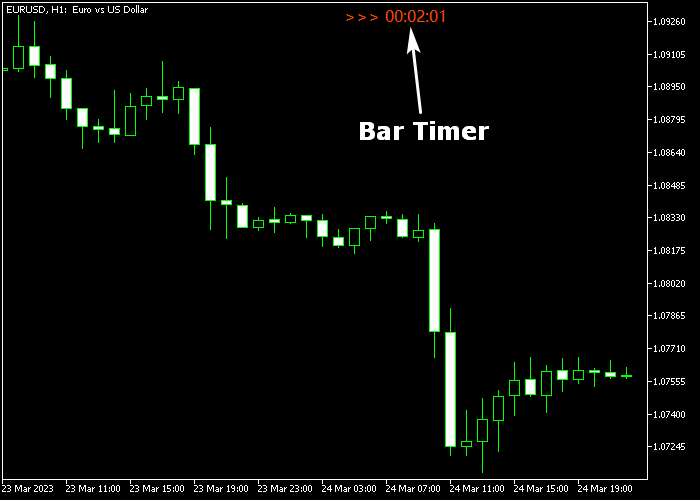
The Countdown Bar Timer indicator shows a countdown label on the trading chart that updates live as the current bar approaches close.
Traders can place the label anywhere on the chart and change its color for clarity.
Guide to Trade with Countdown Bar Timer Indicator
Buy Rules
- Watch the countdown to anticipate when the current bar will close.
- Prepare your buy setup before the bar close if conditions align with your strategy.
- Enter the buy trade immediately after the bar closes with your confirmation.
- Use the timer to avoid entering prematurely before the bar forms.
Sell Rules
- Monitor the bar timer to plan the timing of your sell setup.
- Wait for the bar to close and confirm your sell conditions.
- Open a sell trade once the next bar begins with confirmation.
- Use the timer to anticipate volatility around bar closures.
Stop Loss
- Set the stop loss a few pips beyond the most recent bar’s high for sell trades.
- Set the stop loss a few pips beyond the most recent bar’s low for buy trades.
- Ensure your stop is placed in a way that avoids being triggered by normal market noise.
Take Profit
- Set profit targets based on your own trading strategy or support/resistance levels.
- Follow your exit plan regardless of timer readings.
Download Now
BarTimeCountDown.mq5 Indicator (MT5)
FAQ
Can I customize the timer display?
Yes. You can change the label color for visibility and adjust where the countdown appears on the chart.
Does the indicator generate buy or sell signals?
No. The Countdown Bar Timer is meant to support trade timing. You should combine it with your own technical or price action strategy to determine entries and exits.
Is this indicator suitable for all timeframes?
Yes. The indicator works with any timeframe in MT5, from scalping timeframes like M1 to longer ones like H4 or daily charts.
Summary
The Countdown Bar Timer indicator improves trade timing by showing how long is left before the current bar closes and the next one begins.
This helps traders avoid premature entries and confirms setups immediately after bar completion.
Its simple design and customizable display options make it easy to use alongside other technical tools.
While it does not issue buy or sell alerts, it enhances precision in trade execution.




