
About the Real-Time Server Clock Indicator
The Real-Time Server Clock Indicator for MT5 displays the broker server time directly on the main price chart, allowing traders to monitor trading hours and session timings accurately.
This is particularly useful for planning trades around key market opens or events.
By default, the clock appears in the lower left corner of the chart.
Traders can customize its appearance by changing the text color, font type, position, and offset.
The indicator is lightweight, non-intrusive, and works with any trading instrument.
It does not provide trading signals but helps traders keep track of time efficiently while focusing on price action.
An accurate time display can improve session-based trading strategies and intraday trade planning.
Free Download
Minions.ServerClock.mq5 Indicator (MT5)
Key Features
- Displays the server time in real-time on the main chart.
- Customizable clock text color for better visibility.
- Adjustable font type to match your chart style.
- Clock position and offset can be customized.
- Works with all trading instruments and timeframes.
- Lightweight and non-intrusive.
- Helps track trading sessions and plan intraday trades.
- Easy to set up and visually clear.
Indicator Chart
The Real-Time Server Clock Indicator appears on the main chart, usually in the lower left corner.
Traders can instantly see the current server time while keeping full visibility of price action.
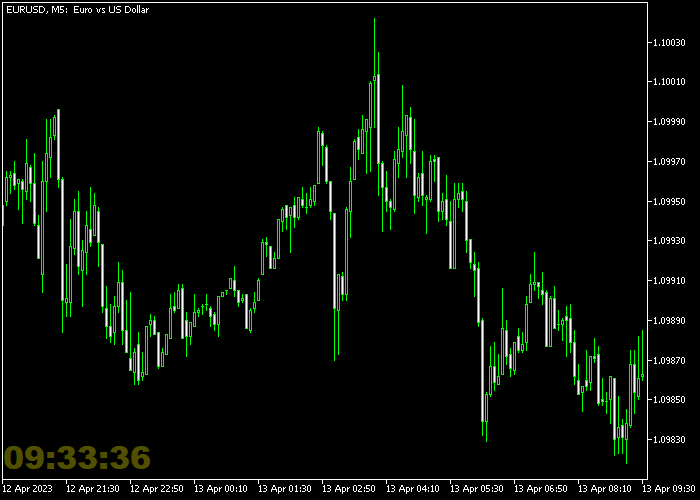
Guide to Use the Real-Time Server Clock Indicator
Setup
- Apply the indicator to any chart.
- Set the clock text color for clear visibility.
- Choose a font type that matches your chart layout.
- Adjust the clock position and offset as needed.
- Save your settings for consistent display on other charts.
Download Now
Minions.ServerClock.mq5 Indicator (MT5)
FAQ
Can I change the clock position?
Yes. You can move the clock to any part of the chart by adjusting the position and offset settings.
Does this indicator provide trading signals?
No. The Real-Time Server Clock Indicator is purely visual to display the current server time.
Can I use it on multiple charts?
Yes. The indicator can be applied to multiple charts, each with its own customized settings.
Is it compatible with all instruments?
Yes. It works with Forex pairs, indices, commodities, cryptocurrencies, and all other instruments supported by MT5.
Summary
The Real-Time Server Clock Indicator allows traders to monitor server time directly on their charts, aiding in session-based and intraday trading.
Its customizable text, font, position, and offset make it flexible and easy to use for all MT5 traders.





