
About the Stop Loss Calculator Indicator
The Stop Loss Calculator indicator for MT5 is a practical risk management tool that helps traders calculate stop loss levels based on their account balance.
Instead of estimating risk manually, the indicator displays useful information that helps control potential losses before entering a trade.
The indicator calculates the possible loss in the account’s base currency when a trade is opened.
This allows traders to understand exactly how much capital is at risk before placing an order.
Managing risk in this way helps maintain consistent position sizing and protects the trading account during losing streaks.
The information appears in a small panel that is displayed on the trading platform.
By default the panel is placed in the upper right corner, but traders can move it to another location if needed.
Because the indicator focuses on account risk rather than price signals, it can be used with any trading strategy.
Free Download
SL_Calculator.mq5 Indicator (MT5)
Key Features
- Calculates suggested stop loss levels based on account balance.
- Displays potential loss in the account’s base currency.
- Helps traders manage risk before entering a trade.
- Panel position can be adjusted to different screen corners.
- Allows traders to monitor risk while analyzing the market.
Indicator Chart
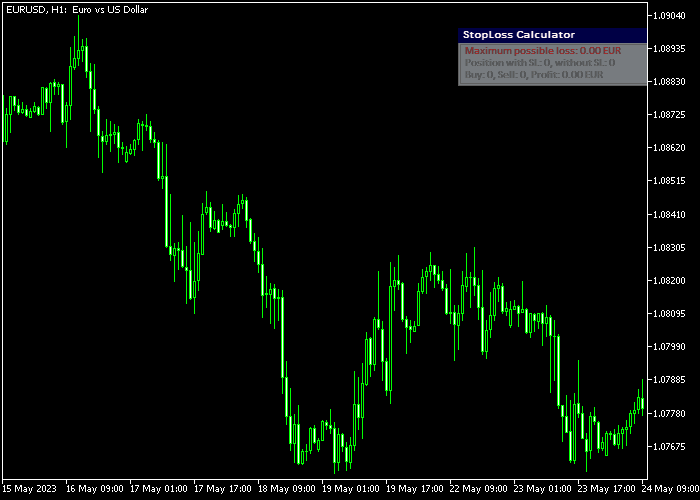
The Stop Loss Calculator indicator displays a small information panel on the trading screen.
The panel shows the calculated stop loss suggestion and the potential account loss for the current trade, helping traders evaluate risk before entering a position.
Guide to Trade with Stop Loss Calculator Indicator
Buy Rules
- Identify a buy setup using your preferred trading strategy.
- Check the Stop Loss Calculator panel to review the suggested risk level.
- Confirm that the potential loss fits within your trading plan.
- Open the buy trade once the stop loss distance matches your risk tolerance.
Sell Rules
- Identify a sell setup based on your trading strategy.
- Review the suggested risk information shown in the indicator panel.
- Ensure that the potential account loss remains within acceptable limits.
- Open the sell trade after confirming the stop loss level.
Stop Loss
- Use the calculated stop loss value shown in the indicator panel.
- Adjust the stop slightly if the nearest market level requires it.
- Make sure the stop loss keeps the trade risk within your account limits.
- Always verify the stop distance before placing the trade.
Take Profit
- Set a take profit target that offers a favorable reward compared to the risk.
- Another option is to close the trade near a key support or resistance level.
- A trailing stop can also be used to protect profits during strong trends.
Download Now
SL_Calculator.mq5 Indicator (MT5)
FAQ
What does the Stop Loss Calculator indicator do?
The indicator calculates the potential account loss for a trade based on the account balance and the selected stop loss distance.
This helps traders understand the financial risk before entering a position.
Which settings can be customized?
Traders can adjust the panel corner location, the X and Y offset values, the background color of the panel, and the text color.
These options allow the display to fit the trader’s workspace.
Can the indicator be used with any trading strategy?
Yes. The Stop Loss Calculator focuses on risk management rather than trade signals.
This means it can be used together with any technical analysis method or trading system.
Summary
The Stop Loss Calculator indicator provides a practical way to manage trading risk directly from the MetaTrader platform.
By calculating the potential loss based on account balance, it helps traders make more informed decisions before opening a trade.
Traders can quickly check if a trade fits within their risk management plan.
With flexible display settings and simple functionality, the indicator is a useful addition to any trading setup.




