
About the Price Alert V2 Indicator
The Price Alert V2 Indicator for MT5 allows traders to set simple and effective price alerts directly on the trading platform.
Instead of constantly watching the market, traders can place an alert line on the screen and wait for the market to reach that level.
The indicator adds a movable horizontal line that can be positioned at any price level.
Traders can easily drag the line up or down using the mouse until it reaches the desired alert price.
Once the market touches that level, the indicator immediately sends a notification.
This tool is especially useful for traders who monitor multiple pairs or wait for price to reach important support or resistance levels.
It removes the need to stay in front of the platform at all times and helps traders react quickly when the market reaches a key price.
The indicator also includes customizable inputs that allow traders to adjust alerts, line color, and line style to their preferences.
Free Download
PriceAlert_V2.mq5 Indicator (MT5)
Key Features
- Adds a movable price alert line directly on the platform.
- Sends a real-time alert when price reaches the selected level.
- Easy drag and drop line placement using the mouse.
- Helps monitor important support and resistance levels.
- Customizable line color for better visibility.
- Adjustable line style to match personal platform settings.
Indicator Chart
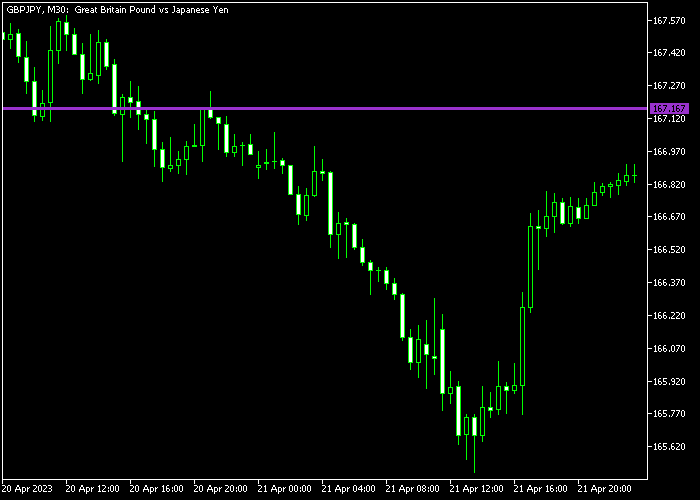
The Price Alert V2 Indicator displays a horizontal alert line across the trading platform.
Traders can move the line to any price level and receive a notification when the market reaches that point.

Guide to Trade with Price Alert V2 Indicator
Buy Rules
- Identify an important support level or breakout area.
- Move the alert line slightly above the chosen entry level.
- Wait for the alert to trigger when price reaches that level.
- Open a buy trade if the market continues to move upward.
Sell Rules
- Identify a resistance level or potential breakdown area.
- Place the alert line slightly below the intended entry level.
- Wait for the alert notification when price reaches the level.
- Enter a sell trade if bearish movement continues.
Stop Loss
- Place the stop loss beyond the nearest support or resistance level.
- Ensure the stop level allows room for normal price movement.
Take Profit
- Close the position when price reaches the next key level.
- Take profits if the market slows down near resistance or support.
- Adjust the profit target depending on market volatility.
Download Now
PriceAlert_V2.mq5 Indicator (MT5)
FAQ
What does the Price Alert V2 Indicator do?
The indicator allows traders to place a horizontal alert line at any price level.
When the market reaches that level, the indicator sends a notification.
How do I move the alert line?
The alert line can be moved by clicking and dragging it with the mouse.
This makes it quick and easy to adjust the alert level.
Can I customize the appearance of the alert line?
Yes. The indicator settings allow traders to change the line color and line style to match their platform setup.
Summary
The Price Alert V2 Indicator is a practical tool for traders who want to monitor important price levels without constantly watching the market.
The movable alert line makes it simple to set notifications exactly where they are needed.
By alerting traders when price reaches a chosen level, the indicator helps improve reaction time and trade planning.
It is especially useful when waiting for breakouts, pullbacks, or tests of support and resistance.
With customizable alert settings, line color, and line style, the tool can easily be adjusted to match any trading platform layout.
This makes it a helpful addition for traders who want a simple and reliable price monitoring solution.





