
About the Auto Bring Chart To Top Indicator
The Auto Bring Chart To Top Indicator for MT5 helps traders automatically cycle through different charts without manual switching.
It functions like a slideshow, making it easier to monitor multiple currency pairs or instruments in real time.
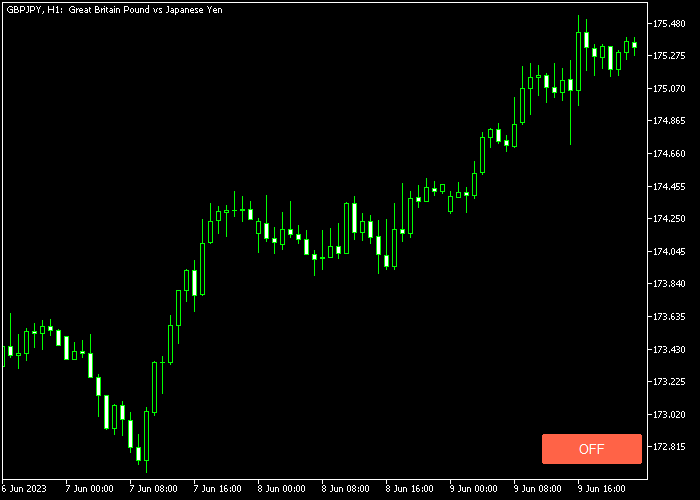
To activate the feature, click the button in the lower right corner of the chart.
Once enabled, charts will automatically come to the forefront one after another.
Clicking the button again pauses the automatic transitions.
The indicator has customizable inputs including corner placement, X and Y shifts, and the interval between chart transitions.
It works on all instruments supported by the MT5 platform, making multi-chart monitoring efficient and effortless.
Free Download
AutoBringChartToTop.mq5 Indicator (MT5)
Key Features
- Automatically brings charts to the top in a slideshow style.
- Button activation in the lower right corner of the chart.
- Pause and resume automatic transitions easily.
- Customizable corner position, shift X, and shift Y.
- Adjustable interval between chart switches in seconds.
- Saves time when monitoring multiple charts simultaneously.
Indicator Chart
The Auto Bring Chart To Top Indicator appears as a control button in the lower right corner of your chart.
Clicking it enables automatic chart rotation, displaying each chart in sequence without manual intervention.
Guide to Trade with Auto Bring Chart To Top Indicator
Buy Rules
- This indicator does not generate buy signals directly.
- Use it to monitor charts where your buy conditions occur.
- Enable the auto bring function to watch multiple charts for buy opportunities.
- Pause the function if you want to focus on a single chart before entering a trade.
Sell Rules
- This indicator does not generate sell signals directly.
- Use it to observe charts where sell setups appear.
- Enable the auto bring function to cycle through charts for potential sells.
- Pause the slideshow to execute trades manually when conditions are met.
Stop Loss
- Set stop loss according to your strategy on the active chart.
- This tool does not modify stop loss levels.
- Always follow your risk management plan on each instrument.
- Use the auto bring function to monitor stops on multiple charts efficiently.
Take Profit
- Set take profit levels according to your trade plan.
- The indicator does not adjust take profit automatically.
- Use it to track charts for targets across multiple instruments.
- Pause the slideshow if you need to manage specific trades.
Download Now
AutoBringChartToTop.mq5 Indicator (MT5)
FAQ
Can I change the speed of chart rotation?
Yes, you can adjust the interval seconds input to increase or decrease the time each chart stays on top.
Where is the control button located?
By default, the button is in the lower right corner, but you can change its position using the corner, shift X, and shift Y settings.
Can I pause the automatic chart rotation?
Yes, simply click the button again to stop the slideshow effect and manually manage charts.
Summary
The Auto Bring Chart To Top Indicator streamlines multi-chart monitoring with an easy slideshow feature.
It saves time and keeps traders aware of developments across multiple instruments without constantly switching windows.
Customizable position, interval, and shift settings make it flexible for any trading setup.
While it doesn’t generate buy or sell signals, it enhances efficiency and workflow for active traders handling several charts simultaneously.




